Showing posts with label iCapture. Show all posts

Monday, October 26, 2015

I capture - fall

Hi Guys!

It's Mira here today with a bunch of tips on how to transform taking pictures into a little game and also I have a few surprises for You at the end of this post...
Are You ready?

***

At this stage of the year some of You probably have fall around (southern-hemisphere Folks – I am sorry – You can read this post in 6 months or use my tips to capture spring), so today I would like to share some tips how You can capture the details of this colorful and photogenic season during a single walk! Or a few!


First thing: Go outside!
I know that fall is a lot about blankets, warm chocolate, tea, coffee, cuddles and other activities that we do inside our houses, but I want You to focus on outdoor photography right now.
Fall light is great for the camera for most of the day (when the day is not moody or rainy) but obviously the best time for taking photos are: late morning and early evening, when the light is bright but still delicate and not to sharp. So let's plan our Sunday walks for afternoon and go to the park!

Now: Find some colors!
Time to play! My first prompt for You is: Try to spot as many colors as You can! Different shades of the same color are welcome too! Document them all in Your pictures! 


Then... Play with light!
Try to take photos against the light

Find it under the leaves

Or capture the shades


Next: Find as many signs of fall as You can!

And don't forget to take photos from different angles (the one below is my favourite - I simply put the camera almost on the ground and take a picture without looking).

Another prompt is to collect a bouquet of leaves...

... and pose with it!


Actually, the most important thing to do right now is to find Yourself in front of the camera! Surrounded by colors!

Don't forget to lie on the ground!


or sit down!

You can also take a selfie (even if it's all about Your feet)!


But at the end of the day - don't forget to photograph Your companions...


That's it!
Your mission has been completed!
;)
I hope You will find this little game inspiring!


***

Now a few words of comment:
I am not a photographer... Actually most of the time I don't even like my own pictures! But You know why? It is because I am too shy to try many things... too shy to explore!
Sounds familiar?

The more I think about it the clearer I see it:
The only way to forget about our fears is just to have fun!
Guys: any time You go outside with Your cameras: relax and have fun! Cherish every moment!
Remember: there is no right or wrong!

***
For those of You who came through all the reading I have a few surprises! I am sharing fall Lightroom Preset that I created for the pictures above! I hope You will make good use of it!
Download it from here: click!

But this is not the only surprise that I have for You Guys!
I also created mini album where I used October Citrus Twist Kits Hello Darling Add-on Kit and together with the newest digital cards and labels collection from CAT File Store.
If You like the collection - You can have it FOR FREE for the next two weeks!
Simply grab it from here: click!
use promocode: CTKFALL at the checkout
and enjoy!

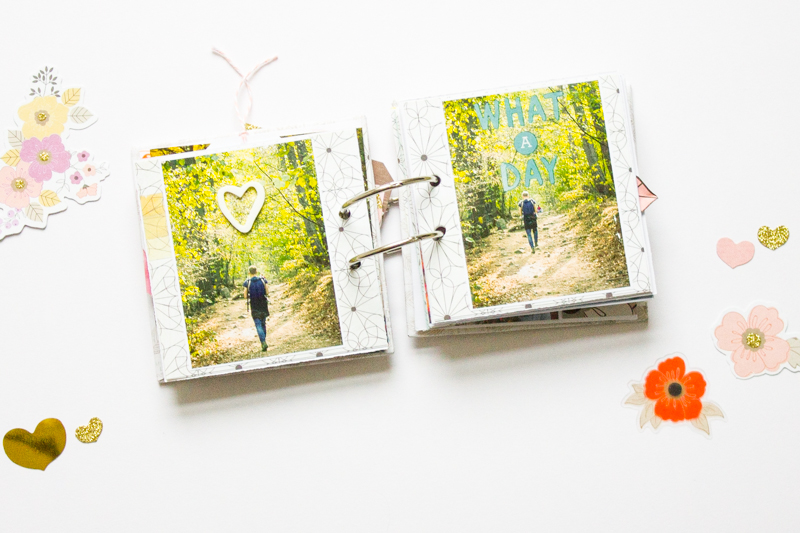
And here's my mini, which I hope will inspire You to take some Fall pictures!


Have a great fall Guys - full of beautiful moments!

Wednesday, September 30, 2015

ICapture with Chantal Philippe

It was only a few years ago that I starting paying more attention to photo composition and lighting. I remember quickly snapping those pictures like it was going out of style and getting only a handful of good shots (the ones I considered worth printing).

I've seen and read so many tutorials and blog posts on iPhonography. I felt so limited with the fact that I wasn't a "big camera" owner. I quickly realized how much fun and diverse photography with an iPhone or any other camera phone can actually become. Here are a few of my favourite techniques.


Angle Is Everything

This is by far my favourite way to take a picture. I love to drop to the ground to get a great shot. Don't let a little dirt deter you from discovering creative perspectives.


From Above

This is my go-to angle for those workspace or project-in-the-making shots. It's also a great way to capture your child doing his/her homework or playing with their favourite toy or item.


Chase The Light

I absolutely love this photo and not because of the subject (ignore the feet) but because of the lighting. It was an early morning spur of the moment shot snapped in my bathroom. The sun was rising and was filtering through the window in such a perfect way.


Create Blur On Purpose

As some of you may know, creating a blur with a phone camera requires a little bit more work then with a regular camera. There are however a few different ways to achieve it. The photo effect below was created with an old flower vase. I simply slipped my iPhone in it and snapped the picture. My fingers were a little hard to maneuver in the cramped space but this problem is easily solved with a remote or any timer cam app, both of which I didn't have at the time. I love how I not only obtained a little blur but some great distortion too!


Reflection

I had just finished some blog work and desperately needed a break. I went ahead and put my computer in sleep mode and noticed myself clearly being reflected on the black screen. I decided to prop up my phone on a few boxes and took the photo with the TimerCam App. It took a few tries but I finally ended up with something I was happy with.

Monday, June 22, 2015

I Capture with Diane

My two fur-babies are a big feature of my PL albums and my photography in general. So today I wanted to share a few tips for capturing your furry friends in their best light.


Firstly, its best to not use a flash with animals. The bright flash of light can be very scary for them and once they learn to associate your camera with that fear, they’ll always shy away. Sometimes that means you won’t be able to get the best photos of them (in the evening or at night for instance).

Secondly, take a LOT of photos. Burst mode can be really helpful. But the more photos you take, the better your chances are of capturing that perfect shot.


Next, auto focus will usually try to focus on the closest point, which, in your animals case, will be their noses. Cute, yes. But for really great shots, try to focus on their eyes instead. That way their true personality can shine.

My fourth tip is to try a different angle. Shoot them from overhead looking straight down or get down on their level. Lowering the camera not only captures them at their best but also documents what life is like at their level.


Lastly, it never hurts to have their preferred treat or toy close by to really get their attention! But most importantly, your favourite photos don’t have to be perfectly exposed or sharp, they just need to show off the gorgeous little personalities that fill our lives with love!

Here, I converted a pretty badly exposed photo into grey scale (which can hide a multitude of sins) and used it as the focal point of this layout using the June Pocket Life and Sprinkles kits.


I hope some of these tips help you capture the furry friends in your lives!

Monday, August 18, 2014

iCapture: Photography with Jen

Hi, Jen here today sharing some of my favorite tips on how I take, edit and prep photos for my Pocket Life pages while on-the-go.

Being at home with three children under school age means 1) taking a lot of photos of their cute faces, primarily with my iPhone, and 2) having very limited time to scrapbook. The big, dSLR camera is always at the ready when at home but, the ease and practicality of using my phone camera has been winning out more often. The brilliant advantage is that a few phone apps and screen taps make photo editing and staying up to date with my albums easier. My most used apps of late are: PicTapGo for editing and Little Moments for adding text and graphics.

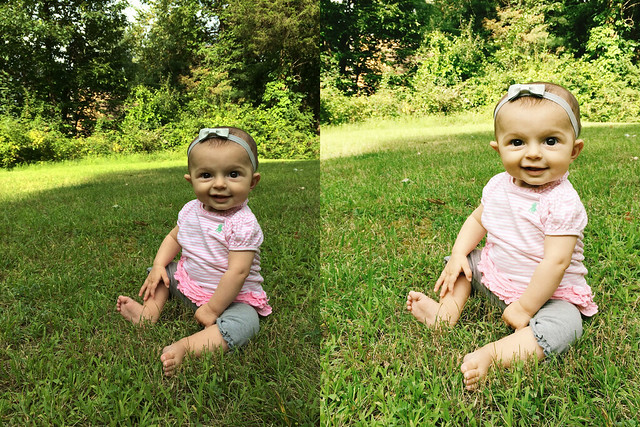
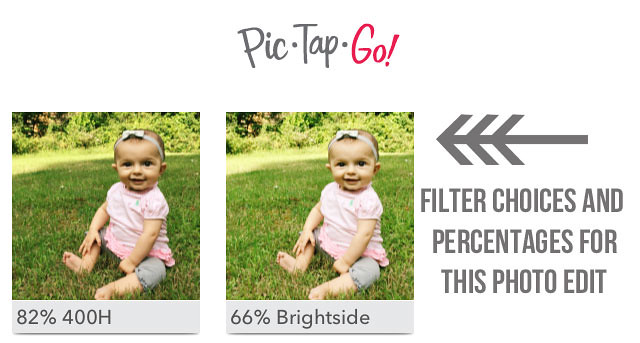
PicTapGo: (left) original, (right) edited

JenB_iCapture081814_5
JenB_iCapture081814_3
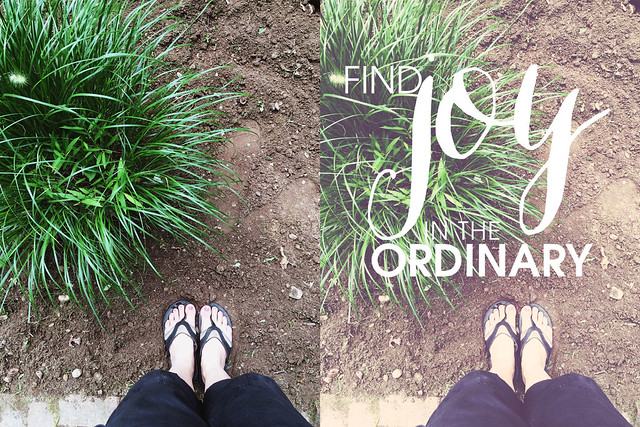
Little Moments: (left) original, (right) edited

JenB_iCapture081814_4
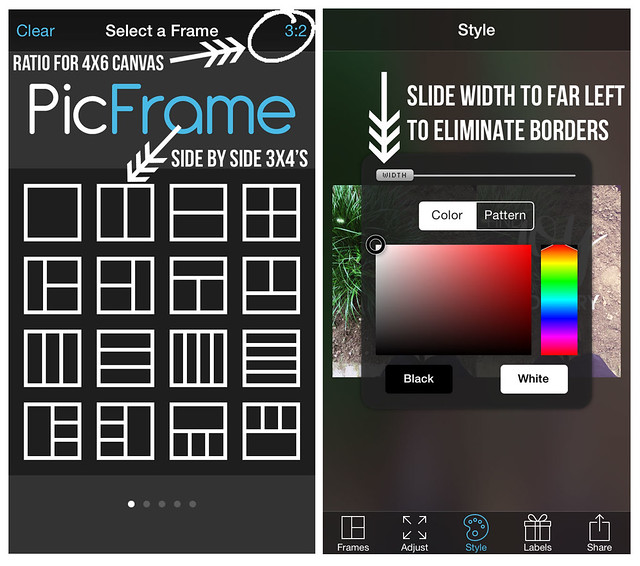
One immediate benefit to using iPhone photos is that the images are already perfectly sized for 3x4 pockets. Using the PicFrame app, two photos are easily dropped onto a 4x6 canvas. The collage can then be sent to a printer or printing service straight from the phone. Just grab the prints, trim down the center and slip in your pocket pages...simple! Here are screen shots of my process:

JenB_iCapture081814_6
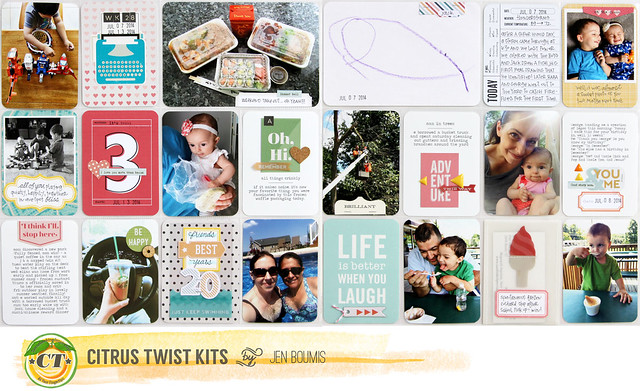
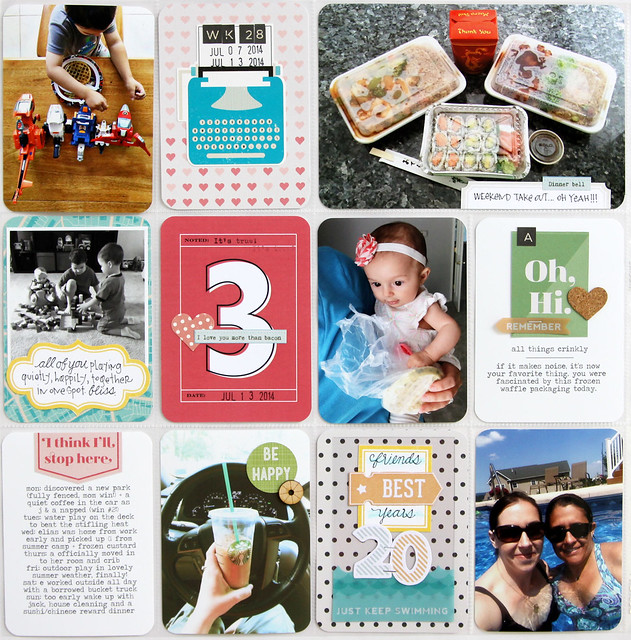
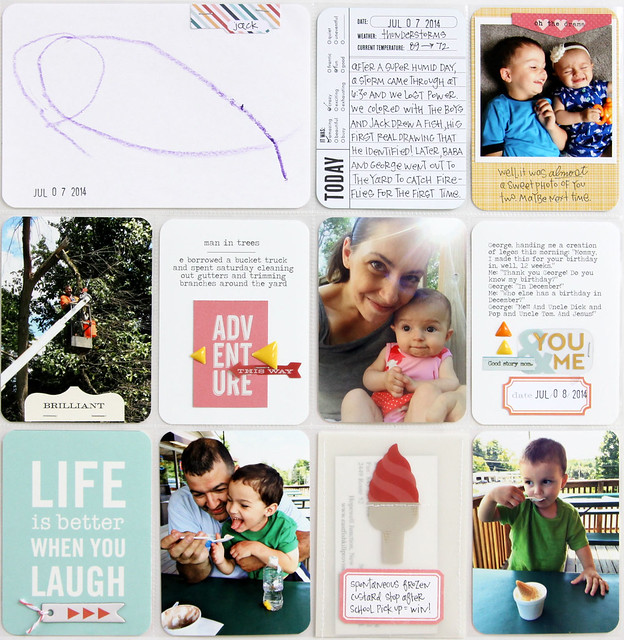
This layout, using the beautiful August Pocket Life and Pocket Life Embellishment kits, uses only photos taken and edited using my phone.

JenB_Aug_PL6
JenB_Aug_PL4
JenB_Aug_PL5